Depths
Depths is a resource manager tailored to tech people.

Resource manager for tech people
Depths is a web-based application designed for desktop viewing to help tech people organize their resources with functions like auto-tagging and workspaces.
Challenge
To provide functionalities that are tailored to tech people's needs for resource managment and bookmarking.
My Role
Branding/Art Direction
UX design
UI design
Product Planning
Discover
Exploring user pain-points & product differentiation
With so much information on the internet and so little time, we often struggle with having to remember where we have stored information. For tech people, the problem is more complex, as they desire tools to supercharge their workflow and to be as efficient as possible.
User interviews and competitive analysis was conducted in an agile manner.
User interviews
To understand more about the problem we are solving and generate initial ideas and assumptions about the problem, we first had to talk to some users.

Competitive Analysis
Identify value-adding features from existing products on the market.

Define
Shaping the product
Data exploration workshops were held to confirm the product agenda as well as to draft product specifications. We focused on turning findings into features in this stage.
Affinity mapping
To understand more about the problem we are solving and generate initial ideas and assumptions about the problem, we first had to talk to some users.

Product insights
After affinity mapping our findings and research from the discover stage, we had more insights on the issue at hand:

Defining backbone features
After determining what would give users the most value and the best possible with minimum effort from the tech and development team, we came up with the essentials for our MVP.

Wireframing & Lo-fi prototypes
Wireframes and drafts
Starting with 3 or 4 main screens, each screen had then gone through an average of 6 iterations before the final designs, with considerations of different states.

Lo-fi frames
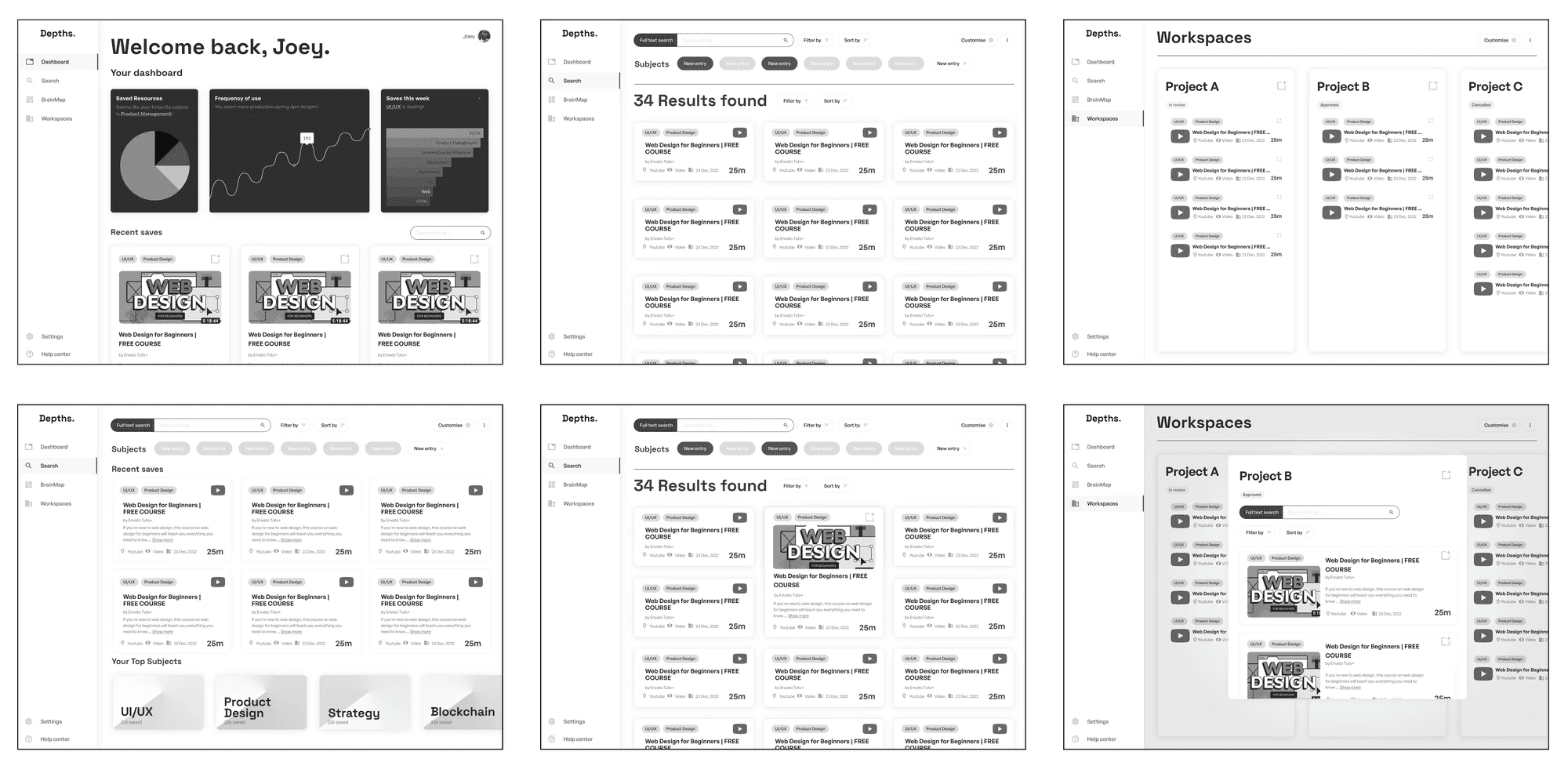
The first lo-fi version of Depths.
Key Considerations
distractions
not consistent and intuitive enough
Designed for supercharging workflows and archiving
Home Dashboard
A insights dashboard that gives feedback to users based on their usage and random picked resources to refresh the users collection.

Card anatomy
The information filled card is the most basic component of the design. It represents every resource saved.

Search Page
Displays all resources. Users can search, sort and filter here to find their archived resources.

Workspaces
Workspace is a feature for users to save resources to projects they are working on.

Other states
A simple settings page that is designed to house more incoming items with a quick and intuitive sidebar menu.

Browser Extention
The browser extension works to save resources within 1 click, or 3 clicks for bundle save to reduce time needed for archiving.

What's Next
It's live!

